Run Paid Events ($)
Atomcal supports paid events directly in Discord, allowing hosts to sell tickets and earn money without any extra effort 🎉
This guide explains everything about setting up, managing, and using paid events on Atomcal in a simple, professional way.
Setting Ticket Range
Get started without any friction:
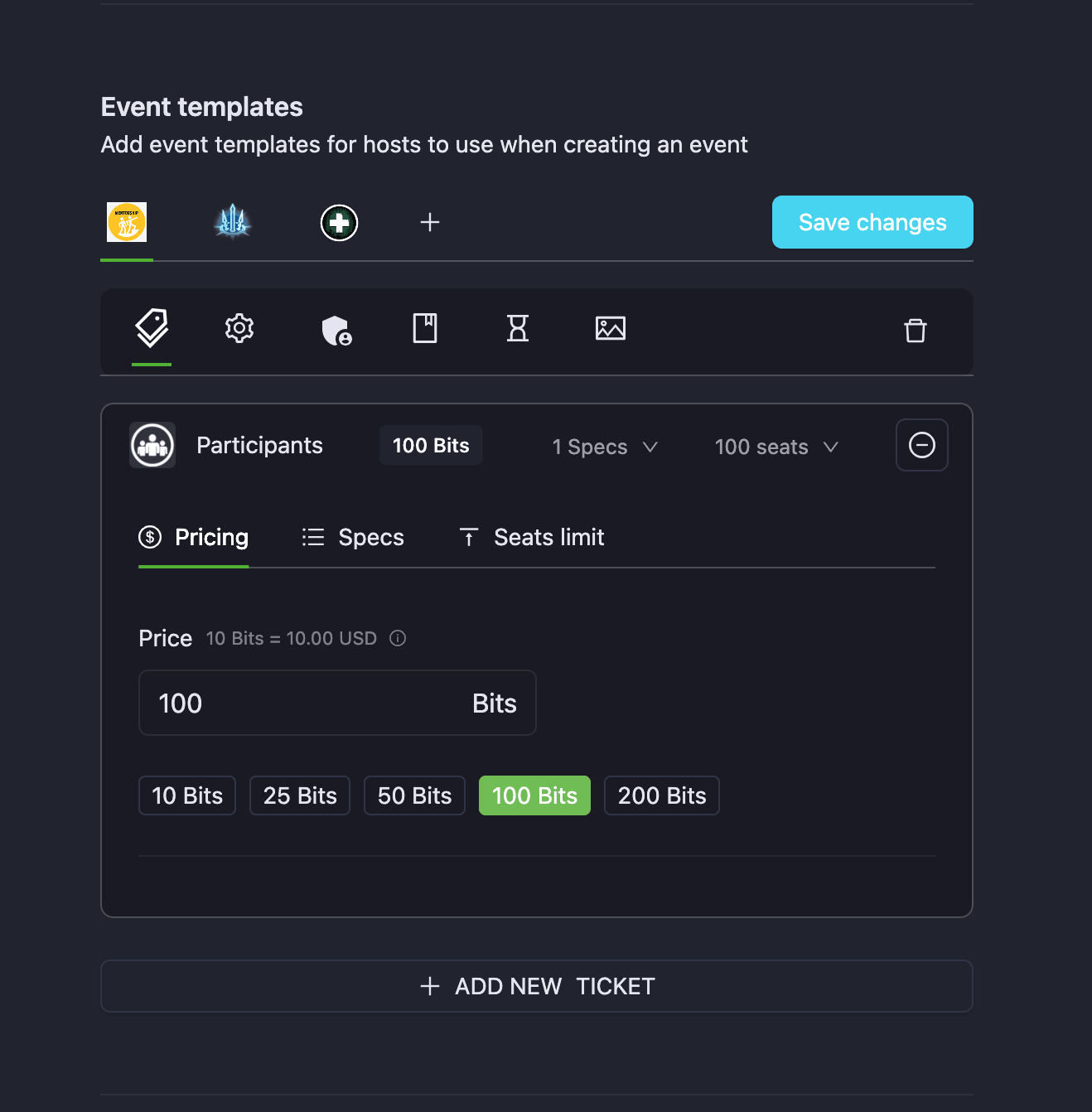
- Edit the event template tickets and set a ticket price
- Hosts can set ticket price ranges (e.g., 50 Credits to 500 Credits)
Test:
- Set ticket range → Create ticket → Ticket shows correct range
Create event for members to register
- Create event with the paid tickets template
- Successful → Event announced and ready to join
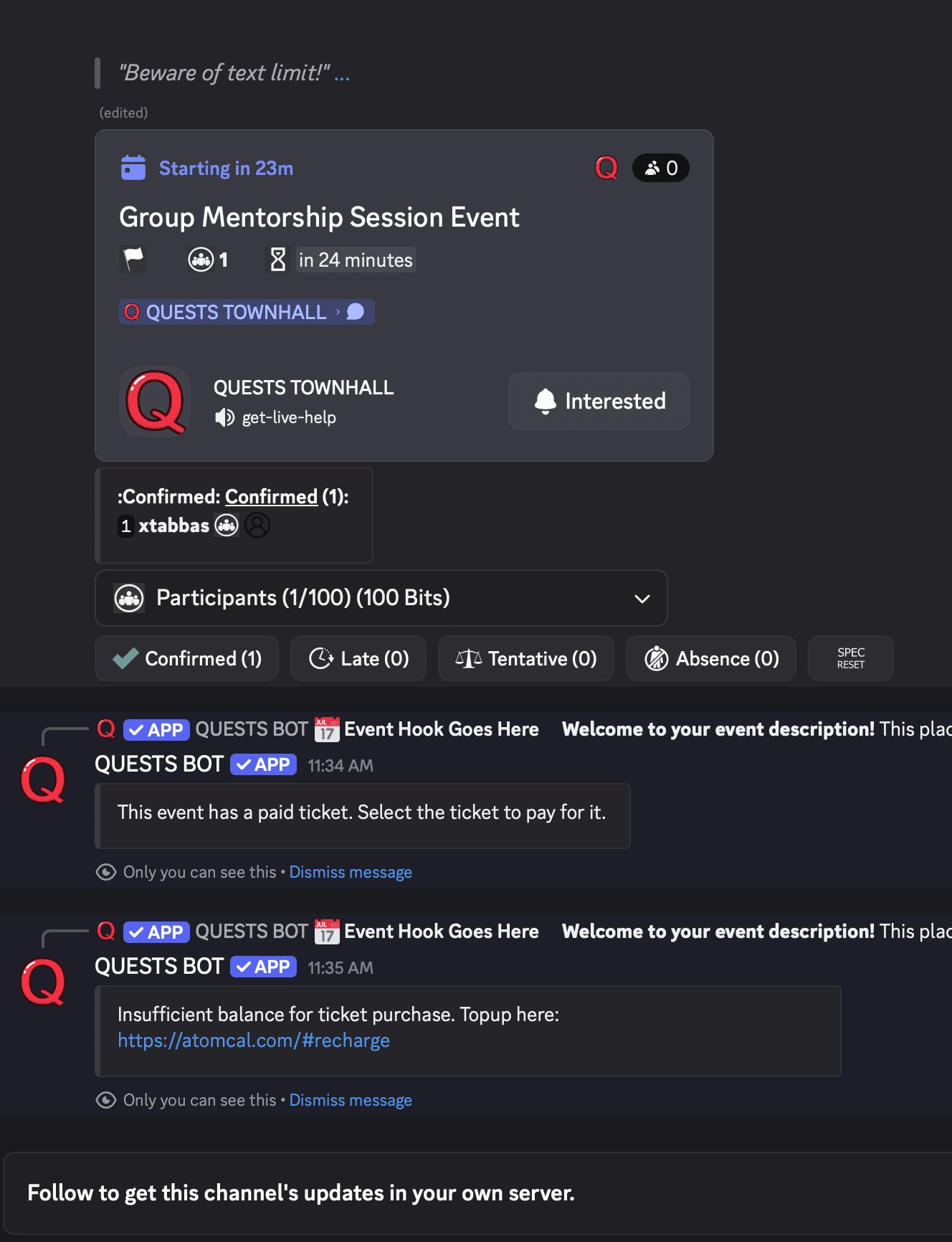
- Users can only join if they have Atomcal Credits balance
Test:
- Try registering a paid ticket as a guest
- If user don't have Credits they are asked to recharge before registering
- Hosts or admins never pay for a ticket (they can obtain it without balance)
Wallet Top-Up Flow
- Click Top Up Balance → Stripe checkout opens
- Successful → Wallet updated
- Failed → Error message shown
Test:
- Top up 50 Credits → Wallet updated
- Fail payment → Show error

⚠️
Note: Wallet recharged cannot be refunded. Ticket refunds goes back to your wallet balance for later use.
Free Tickets for Admin, Manager, Owner, and Host
For every paid event, the following roles always get free tickets:
- Admin
- Manager
- Owner
- Host
No wallet deduction occurs for attending their own or managed events.
Test:
- Create paid event → Log in as host/admin → Register → Wallet balance unchanged

Refund Request Flow
Rules:
- User must be logged in
- Ticket must be CONFIRMED
Process:
- Click Refund Request → Confirm popup
- Confirm → Ticket status → REFUND_REQUESTED
- Host approves → Amount refunded → Ticket → DROPPED
- Host rejects → Ticket remains CONFIRMED
Test:
- Request refund → Approve → Wallet updated → Ticket DROPPED
- Request refund → Reject → Ticket CONFIRMED

Using Refunded Balance to Buy Tickets
- Refunded ticket amounts go into wallet balance
- Can be reused for another ticket
- No external payment required
Test:
- Refund ticket → Wallet updated → Buy new ticket using refunded balance → Success

Wallet & Transaction History
Wallet shows:
- Payments
- Refunds
- Top-ups
- Deductions
- Pending income
Users and hosts can track every transaction
Test:
- Make payment → Wallet updates
- Refund ticket → Wallet updates
- Top-up → Wallet updates

Income Distribution for Multiple Hosts
- Event income is distributed equally among all hosts
- If not host is assigned to an event, event creator gets the full distribution
- Event income is distributed after 1 hour of event end time
- Each host sees their share immediately
Test:
- Event with 2 hosts → Income split → Each host’s dashboard shows correct share
Event-End Income Automation
- Backend job finalizes income automatically
- Waitlist guests get their escrow refunded
- Host pending balances are updated
Test:
- End event → Confirm ticket income → Pending wallet updated → Final payout reflected
If event cancelled:
- Paid amounts refunded automatically
- No income distributed
Cancelled Paid Events
- Hosts/Admin can cancel an upcoming event
- All guests are refund after 5 minutes of cancelation
- Guests will be notified of the cancelled event
Test:
- Mark event CANCELED → Guests are refunded → Guest Wallet updated

ABSENT Status for Paid Tickets
- Hosts/Admin can mark guests as ABSENT
- No refund is issued
- Tracks attendance only
Test:
- Mark guest ABSENT → Ticket remains paid → Wallet unchanged