Quick Answers
Q: What does Atomcal do? Why should I use it?
A: Atomcal is a Discord events automations tool. It allows auto announcements of events in channels, manage guests via ticketing and waitlist, support event signup forms, customization, send DM reminders to participants, sync with google calendar and much more (via extensions).
Q: How do I start using Atomcal?
A: After signing in an account install the given bot to your Discord server. Then refresh the server list. Once you are able to access your server you can:
1. Open the settings page and update the defaults
2. Create templates for your servers event
3. Setup the extension settings, like Discord announcement channel
4. Finally create an event, and you're ready to use Atomcal
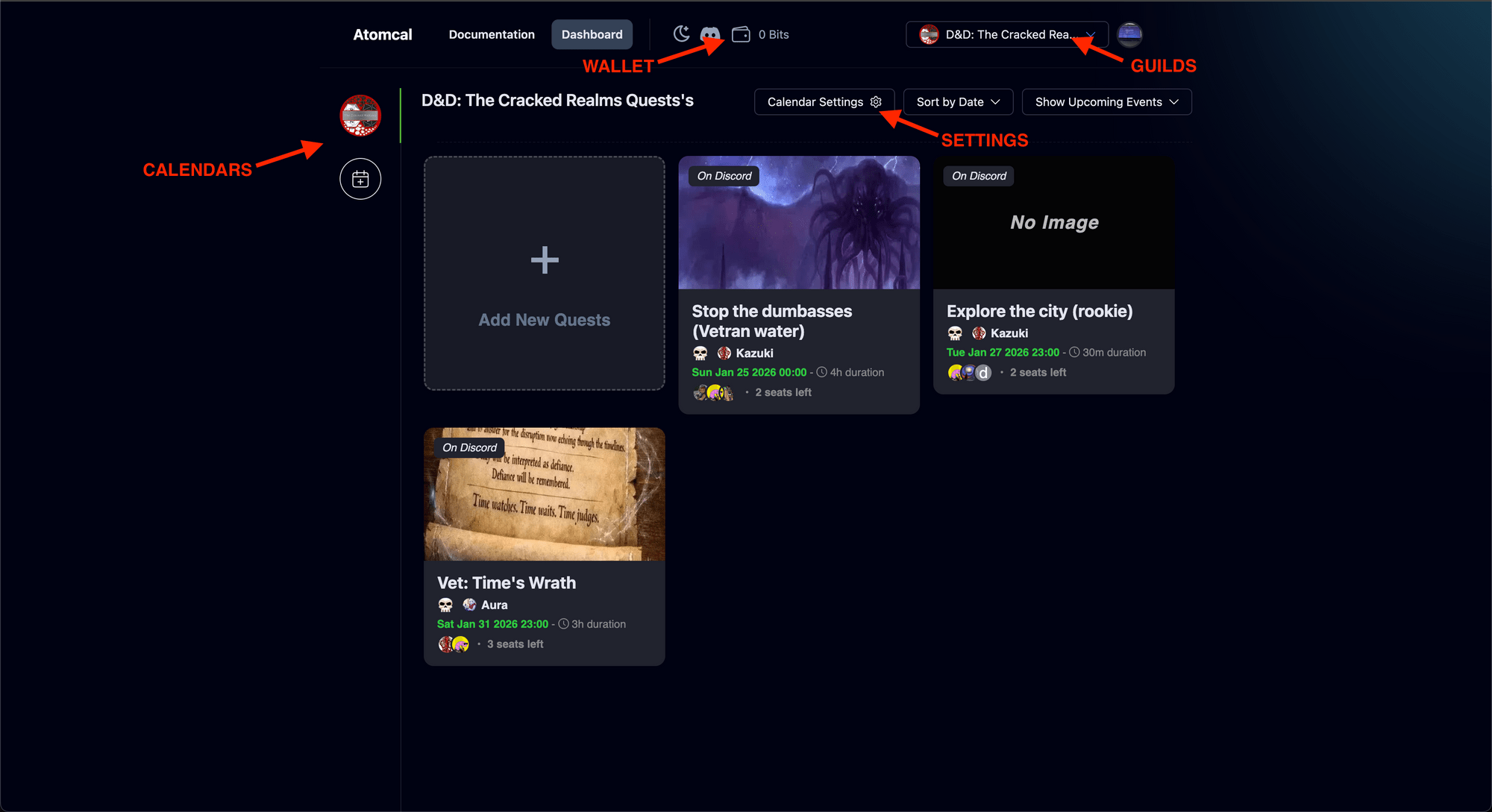
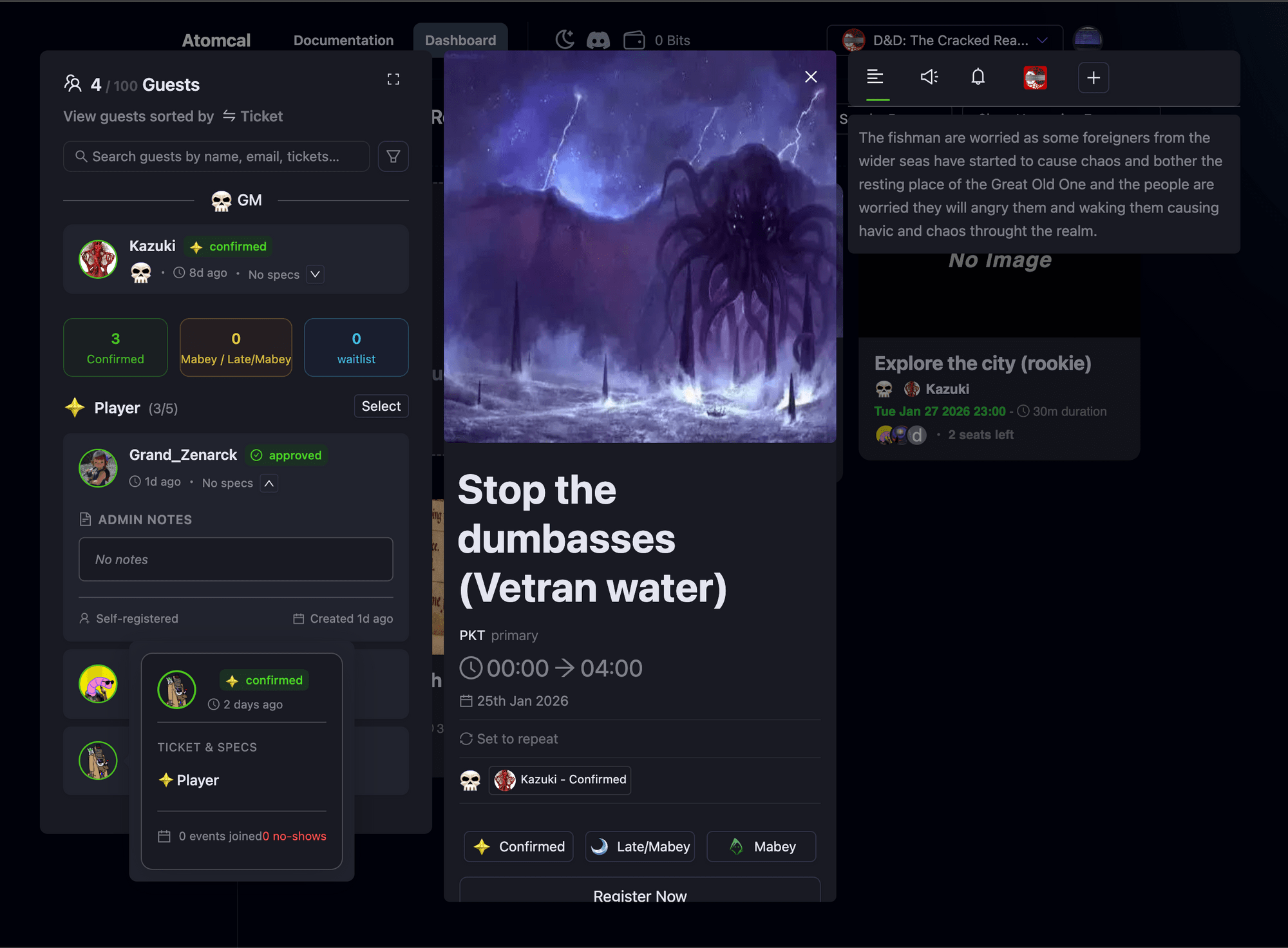
Q: I created an event, now what can I do?
A: After the event is made and announced in Discord guests will start to register, then you can use the Dashboard to see who joined and when, manage their status, reassign or refund their tickets, update the event timings, send email invitations and more based on your requirements...
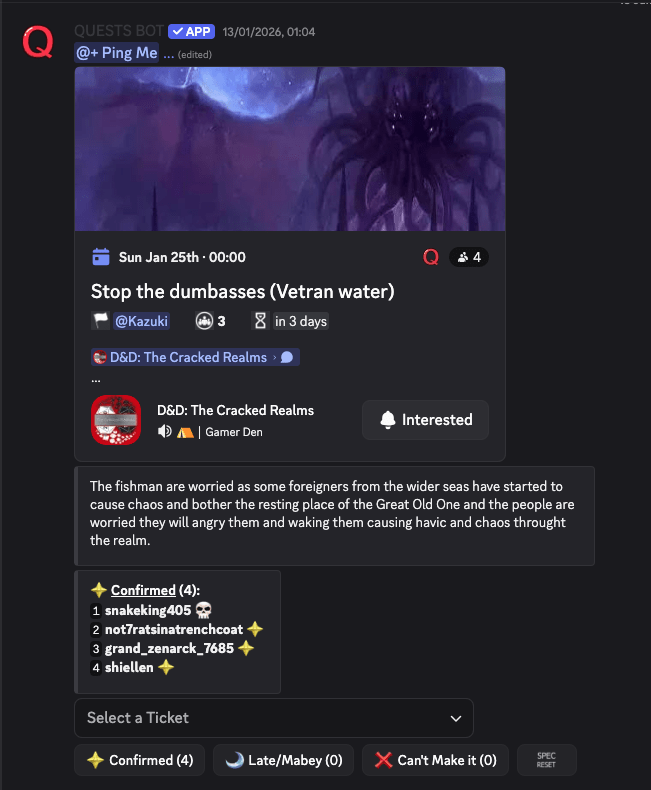
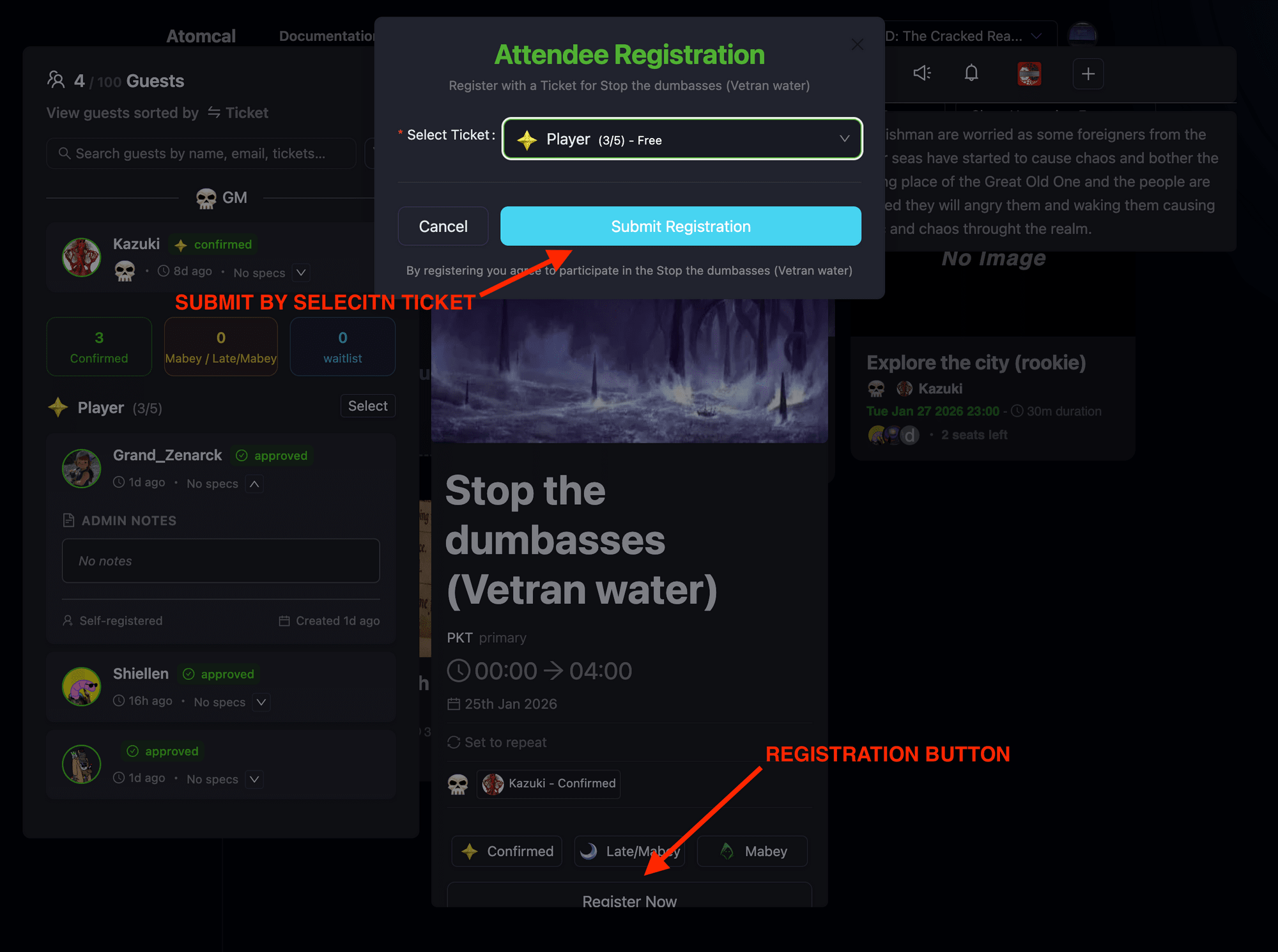
Q: How can community members signup to my events?
A: There are multiple ways someone can register to your event. Your community members can signup to your events directly from Discord using the provided ticket selection buttons or dropdown with the event announcement. Or they can use the dashboard to register for the event.
Q: Do you have system template for ____? I don't see it.
A: We have many system templates for you to choose in your calendar settings. Including many different event types. However, these are just examples, we encourage you to create your own template as you can create as many templates as you like without any limitations.
Request Atomcal moderator access today to add new system templates!
Are there going to be more plugins in the future?
Atomcal will try its best to include as many plugins as possible in future for the user convenience. Along with Discord and Google we are adding Twitch and Facebook integrations.
Feel free to send any suggestions to the email [email protected].
Which device provides the best experience for using Atomcal?
Setting up a website is usually a lot smoother on a desktop. You get a bigger screen, better multitasking and it is easy with all the tools.
Notice Emails from Atomcal
Atomcal owns and uses this [email protected] email to send important announcements. If you receive an email from this email address it is safe to trust!
Paid Events FAQs
How do paid events work on this platform?
Platform uses Credits as the in-app currency for purchasing event tickets. When you create a paid event, attendees can buy tickets using Credits directly within Discord. The platform handles all payment processing, ticket distribution, and event management seamlessly.
What are Credits and how do I get them?
Credits are platform's in-app currency used exclusively for buying event tickets. You can purchase Credits through our secure payment system. Credits make ticket purchases fast, secure, and integrated directly into your Discord experience.
How do I receive payments from ticket sales?
Payments from ticket sales are automatically processed and deposited to your account. You can set up your payout preferences in your dashboard. Funds are typically available within a few business days after your event ends.
Can I set different ticket prices for my event?
Yes! Platform supports multiple ticket tiers with different prices. You can create VIP tickets, early bird pricing, group discounts, and more. All ticket types are purchased using Credits.
What happens if someone wants a refund?
Refund policies are set by you as the event host. You can configure automatic refunds, manual approval, or no-refund policies. When refunds are issued, Credits are returned to the attendee's account.
Is my payment information secure?
Absolutely. Platform uses industry-standard encryption and secure payment processing. Your financial information is never stored on our servers. All transactions are processed through secure, PCI-compliant payment gateways.
Can I run paid events right now?
Yes! Paid events are available now. Simply install the bot, connect your Discord server, and start creating paid events today. Remember to sign up before July 2026 to lock in your 50% discount on fees.